EN
Google excel - prevent cells auto-changing when selected area is dragged
9
points

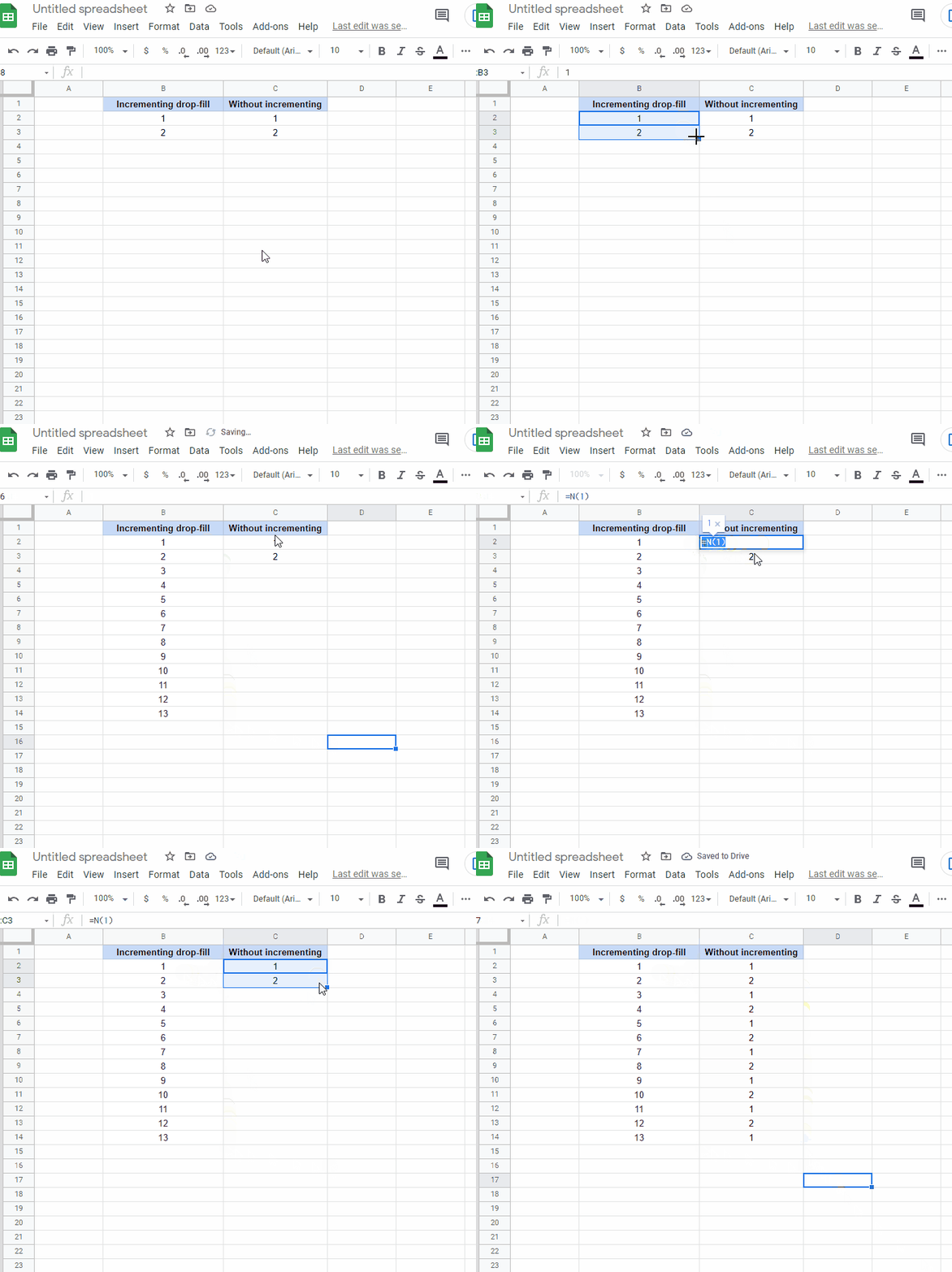
In this article, we would like to show you how to drag the values of the cells down without auto-changing them in Google Sheets.
Note:
In the example below, we use the
Nformula, which has a different application by default, but solves our problem.
Alternatives:
=FIXED(1,0)
=FIXED(2,0)
=FIXED(3,0)
=TO_PURE_NUMBER(1)
=TO_PURE_NUMBER(2)
=TO_PURE_NUMBER(3)
=TO_TEXT(1)
=TO_TEXT(2)
=TO_TEXT(3)