EN
React - auto growing textarea component
9
points

In this short article, we would like to show how to create auto growing textarea element component using React and JavaScript.
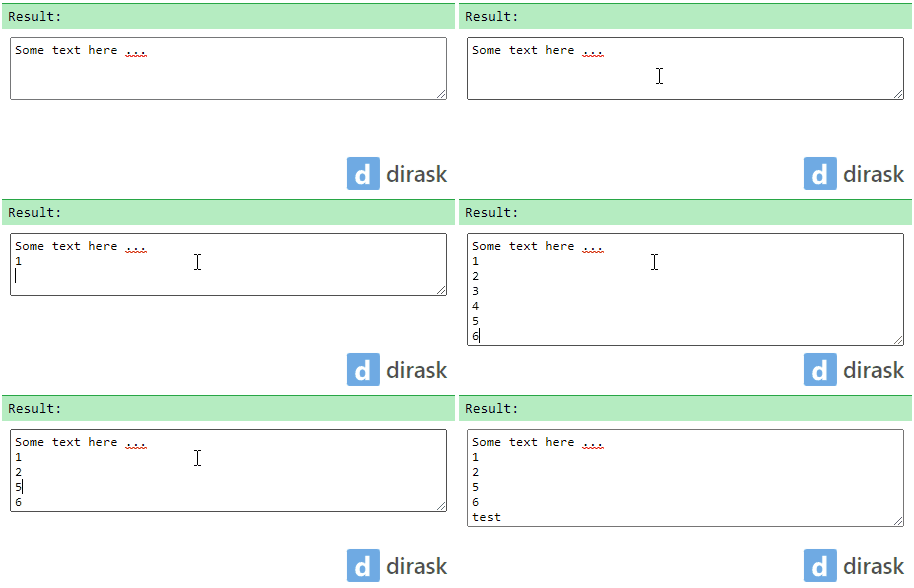
In the below example, we have created React comonent that wraps textatrea element with additional logic, that makes textarea growing when text is changed, matching height to current text inside.
Note: the article bases on this pure JavaScript solution.
Practical example:
// ONLINE-RUNNER:browser;

// Note: Uncomment import lines during working with JSX Compiler.
// import React from 'react';
// import ReactDOM from 'react-dom';

// Source:
//     https://dirask.com/posts/JavaScript-how-to-make-textarea-autogrow-BDdGW1
//
const preapreAutogrowing = (element) => {
    const style = element.style;
    const handleChange = () => {
        style.height = 'auto';
        style.height = element.scrollHeight + 'px';
    };
    element.addEventListener('input', handleChange);
    element.addEventListener('change', handleChange);
    let destroyed = false;
    return {
        update: handleChange,
        destroy: (): void => {
            if (destroyed) {
                return;
            }
            destroyed = true;
            element.removeEventListener('input', handleChange);
            element.removeEventListener('change', handleChange);
        }
    };
};

const textareaStyle = {
  	padding: '4px',
  	outline: 'none',
    width: '100%',
    minHeight: '63px',
    resize: 'vertical',
    overflow: 'hidden'  // used to hide scrollbars
};

const AutogrowingTextarea = ({name, value, onChange}) => {
    const textareaRef = React.useRef();
    const autogrowingRef = React.useRef();
    React.useEffect(() => {
        autogrowingRef.current = preapreAutogrowing(textareaRef.current);
        return () => autogrowingRef.current.destroy();
    }, []);
    React.useEffect(() => {
      	textareaRef.current.value = value;
      	autogrowingRef.current.update();
    }, [value]);
    const handleChange = (e) => onChange?.(e.currentTarget.value ?? '');
    return (
        <textarea ref={textareaRef} style={textareaStyle} name={name} onChange={handleChange} />
    );
};


// Usage example:

const App = () => {
    return (
      <div>
        <AutogrowingTextarea value="Some text here ..." />
      </div>
    );
};

const root = document.querySelector('#root');
ReactDOM.render(<App />, root );