EN
How to convert Macintosh text file to Unix or Linux text file?
11
points

Using Notepad++ it is possible to convert Macintosh text file to Unix / Linux file in following way.
1. Instruction how to convert Macintosh text file to Unix / Linux text file.
- Open Macintosh text file.
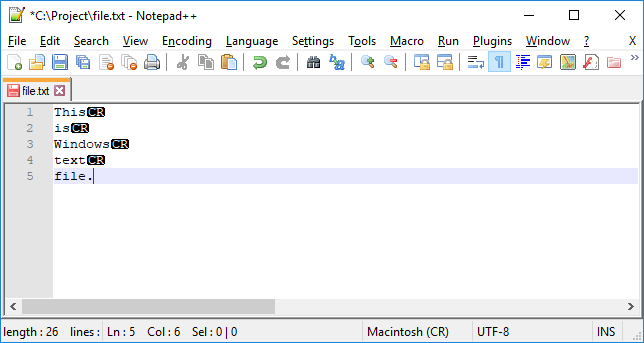
Unix / Linux text file - Unix / Linux end line symbols visible at end of each line. Note: to show all characters use View->Show Symbols->Show All Characters - this option has been enabled to see new line characters.
- Click Edit->EOL Conversion-> Unix (LF)
EOL means End of Line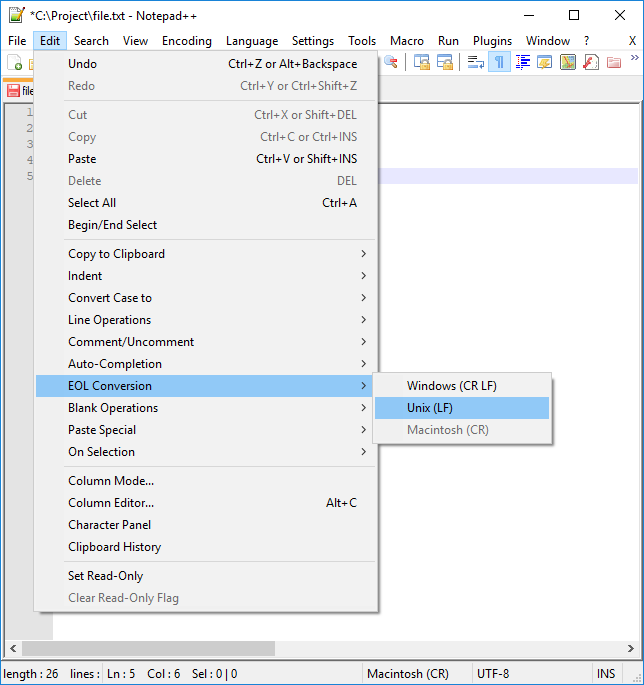
EOF conversion example with Notepad++. 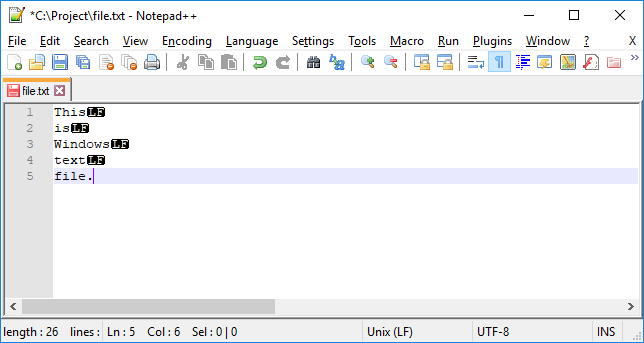
Unix / Linux text file - Unix / Linux end line symbols visible at end of each line. - Save Unix / Linux text file