Languages
[Edit]
EN

KDE Plasma Desktop - how to make emoji (keyboard shortcut)

7 points
Created by:
martineau
1380

In this article, we would like to show you how to make emojis in KDE Plasma Desktop under Linux.

Quick solution:

Press Meta+. keys (on Windows keyboard it is Win+. keys).


Practical example

After Meta+. keys are pressed, Emoji Selector is open and we can use keyboard or mouse to select emoji. Selected emoji is copied to clipboard automatically, then we can paste it into desired place.

Screenshot:
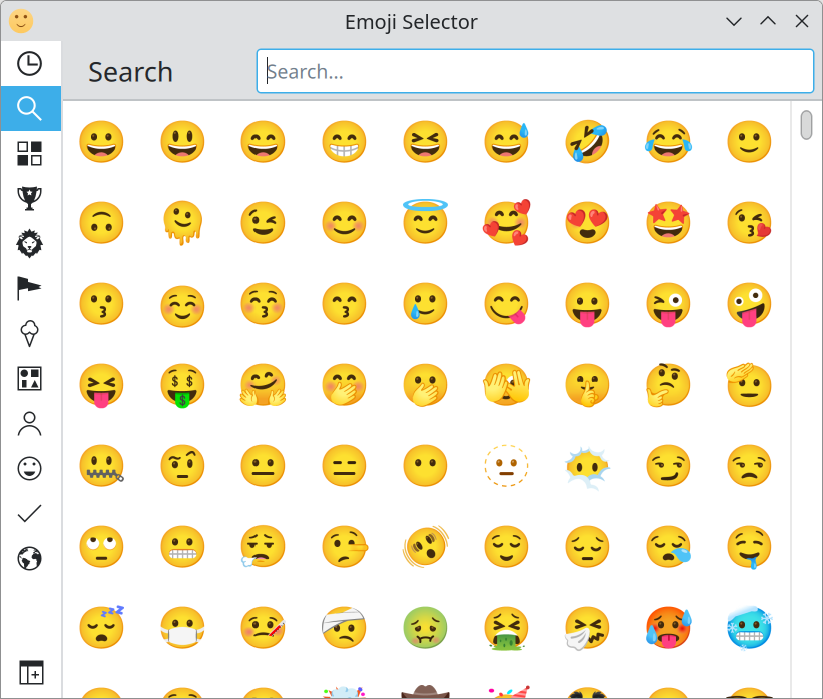
Emoji Selector in KDE Plasma Desktop.


Alternative titles

  1. KDE Plasma Desktop - how to use emoji (keyboard shortcut)
Donate to Dirask
Our content is created by volunteers - like Wikipedia. If you think, the things we do are good, donate us. Thanks!
Join to our subscribers to be up to date with content, news and offers.
Native Advertising
🚀
Get your tech brand or product in front of software developers.
For more information Contact us
Dirask - we help you to
solve coding problems.
Ask question.

❤️💻 🙂

Join