EN
Next.js - get dynamic route segment value
0
points

In this article, we would like to show you how to get dynamic route segments in Next.js.
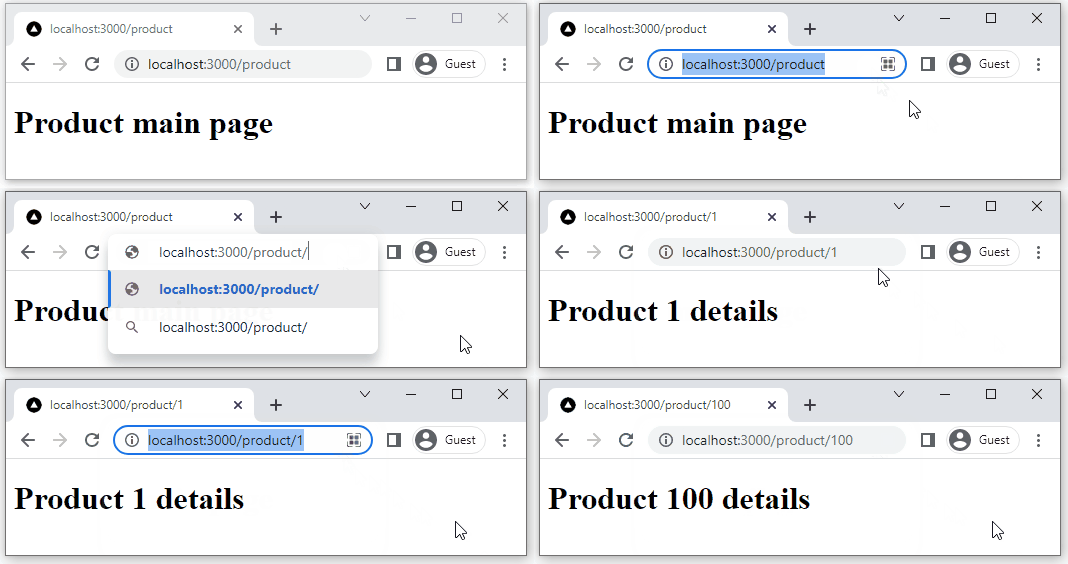
Practical example
In order to access dynamic route segments, we need to use the useRouter() hook provided by the next/router module. With the useRouter() hook we can access router.query that contains parsed query string parameters.
Below, you can see the example of how to get a dynamic segment with the name id by destructuring it from the query object:
import { useRouter } from 'next/router';

function Product() {
    const router = useRouter();
    const { id } = router.query; // gets id route segment specified in [id].js filename

    return <h1>Product {id} details</h1>;
}

export default Product;
Note:
The dynamic segments are passed as strings.
Project structure
/next.js-project/
    ├─ next/
    ├─ node_modules/
    └─ pages/
	    ├─ api/
	    └─ product/
            ├─ index.js
            └─ [id].js
Example components
product/index.js:
function Product() {
    return <h1>Product main page</h1>;
}

export default Product;
product/[id].js:
import { useRouter } from 'next/router';

function Product() {
    const router = useRouter();
    const { id } = router.query; // gets id route segment specified in [id].js filename

    return <h1>Product: {id}</h1>;
}

export default Product;