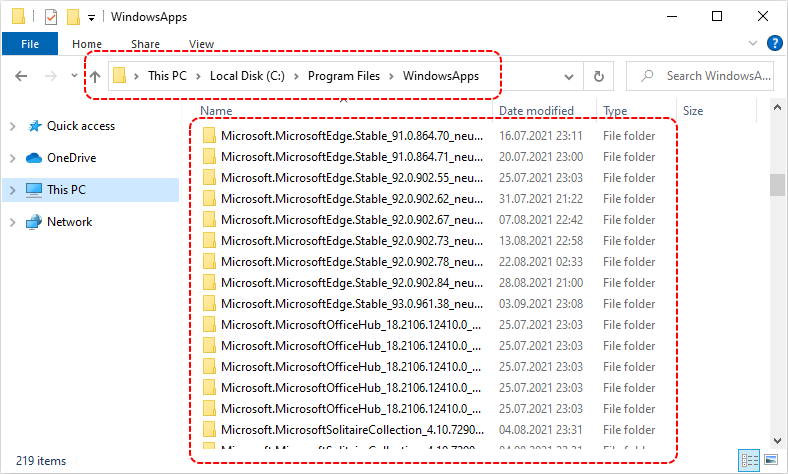
Windows 10 - view directory where Microsoft Store downloads and installs applications

In this short article, we would like to show how to find a directory where Microsoft Store downloads and installs applications under Windows 10.
Location:
C:\Program Files\WindowsApps
Hint: to open
WindowsAppsdirectory you need to grant permissions for the current user.
Simple steps:
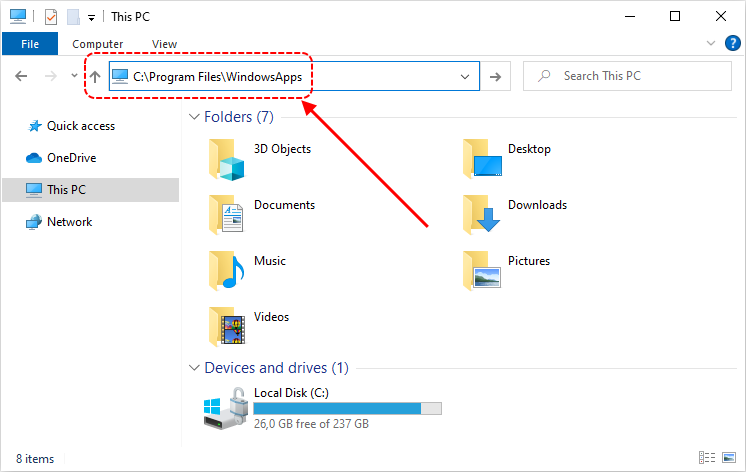
1. Paste in the File Explorers' path bar C:\Program Files\WindowsApps path and press Enter key:
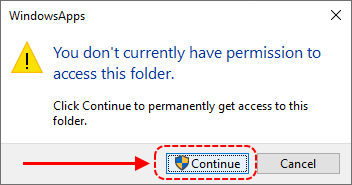
2. Click Continue button to get access:
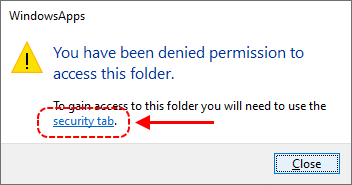
3. Open security tab by clicking to the link button:
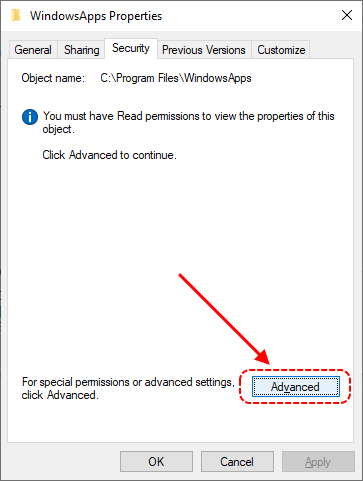
4. Open advanced options by clicking to Advanced button:
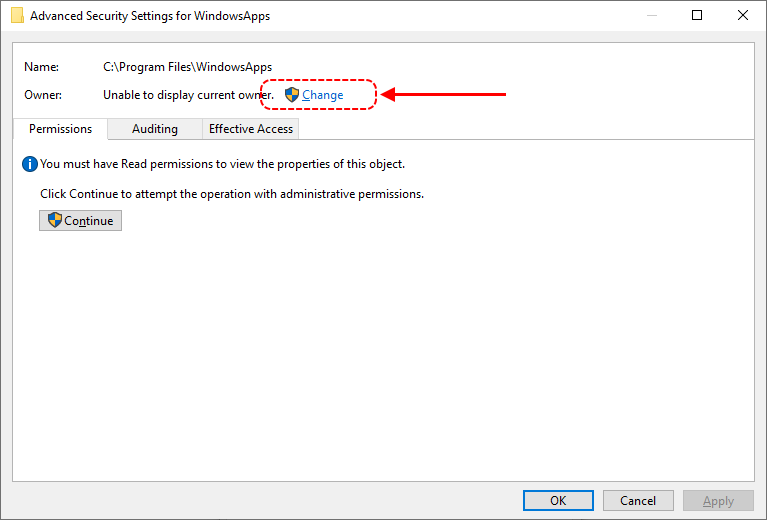
5. Grant permissions: you can change owner by clicking Change link button:
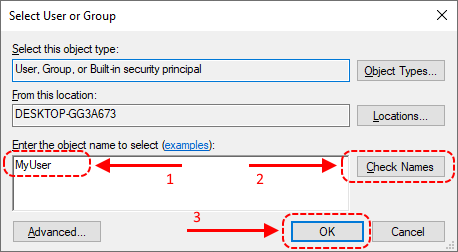
6. Type your user name (1), check it (2) and confirm permissions (3):
7. Close all windows accepting new permissions (click on Ok, Accept or Apply buttons).
8. Finally you should see installed applications: