EN
Google Sheets - restore sheet from specific date
3
points

In this article, we would like to show you how to restore sheet from specific date working with Google Sheets.
Quick solution:
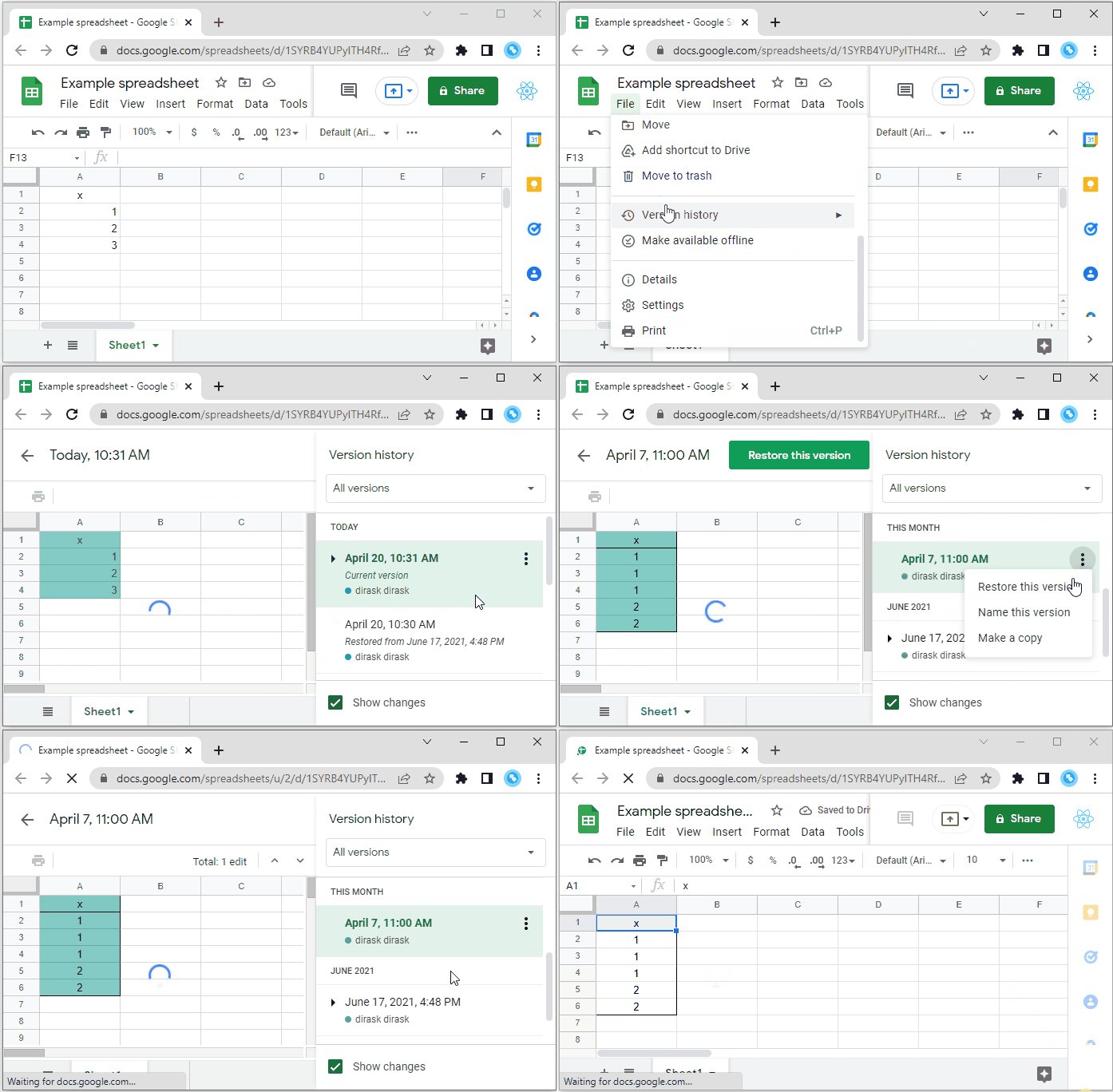
Step by step
1. Go to the File -> Version history -> See the version history (Ctrl+Alt+Shift+H),
2. choose the version you want from the menu on the right,
3. click More actions (the three dots) in the upper-right corner,
4. select Restore this version.