Languages
[Edit]
EN

Google Chrome - mute sounds in some tab

3 points
Created by:
chelsea
806

In this article, we would like to show you how to mute sounds in some tab in Google Chrome.

Simple steps:

  1. Open context menu on the tab you want to mute (click right mouse button),
  2. Click Mute site option from the menu.

Preview: 
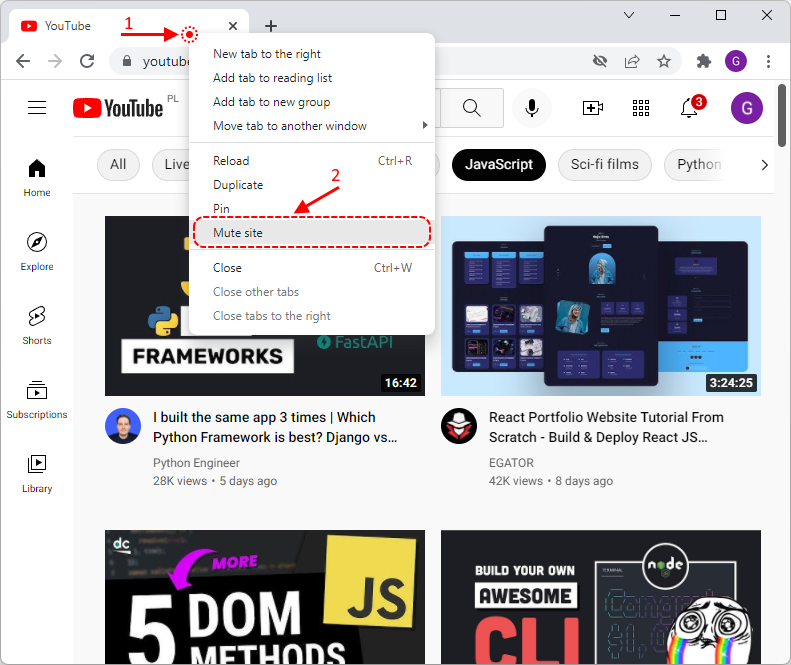
Google Chrome - mute audio on a tab
Donate to Dirask
Our content is created by volunteers - like Wikipedia. If you think, the things we do are good, donate us. Thanks!
Join to our subscribers to be up to date with content, news and offers.
Native Advertising
🚀
Get your tech brand or product in front of software developers.
For more information Contact us
Dirask - we help you to
solve coding problems.
Ask question.

❤️💻 🙂

Join