EN
Google Chrome - change default level of log using developer tools
0
points

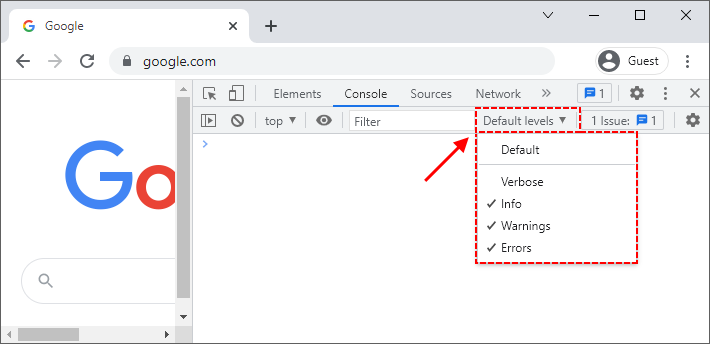
In this article, we would like to show you how to change the default level of the log using developer tools under Google Chrome.
Quick solution:
1. Open developer tools (Ctrl + Shift + i),
2. select the type of displayed messages using the Default levels dropdown.
Practical example