EN
CSS - grayscale filter
0
points

In this article, we would like to show you how to use the grayscale filter in CSS.
Quick solution:
.grayscale {
  filter: grayscale(100%);
}

.half-grayscale {
  filter: grayscale(0.5);
}
Practical example
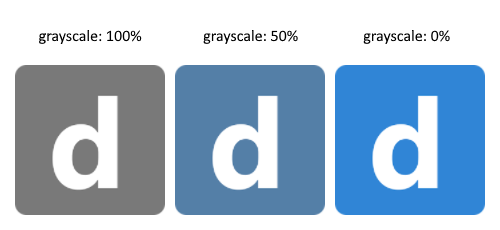
In this example, we present how to use the grayscale filter with percentage and fractional values.
// ONLINE-RUNNER:browser;

<!doctype html>
<html>
<head>
  <style>

    body {
      display: flex;
    }

    img {
      height: 100px;
      margin: 5px;
    }

    .grayscale {
      filter: grayscale(100%);  /*		<----- grayscale 100%   */
    }

    .half-grayscale {
      filter: grayscale(0.5);  /*		<----- grayscale 50%  	*/
    }

  </style>
</head>
<body>
  <img class="grayscale" src="https://dirask.com/static/bucket/1631898942509-VMYrnXyYZv--image.png" />
  <img class="half-grayscale" src="https://dirask.com/static/bucket/1631898942509-VMYrnXyYZv--image.png" />
  <img src="https://dirask.com/static/bucket/1631898942509-VMYrnXyYZv--image.png" />
</body>
</html>
Result: